
Quick Prompt locations control when users see prompts during a conversation flow.
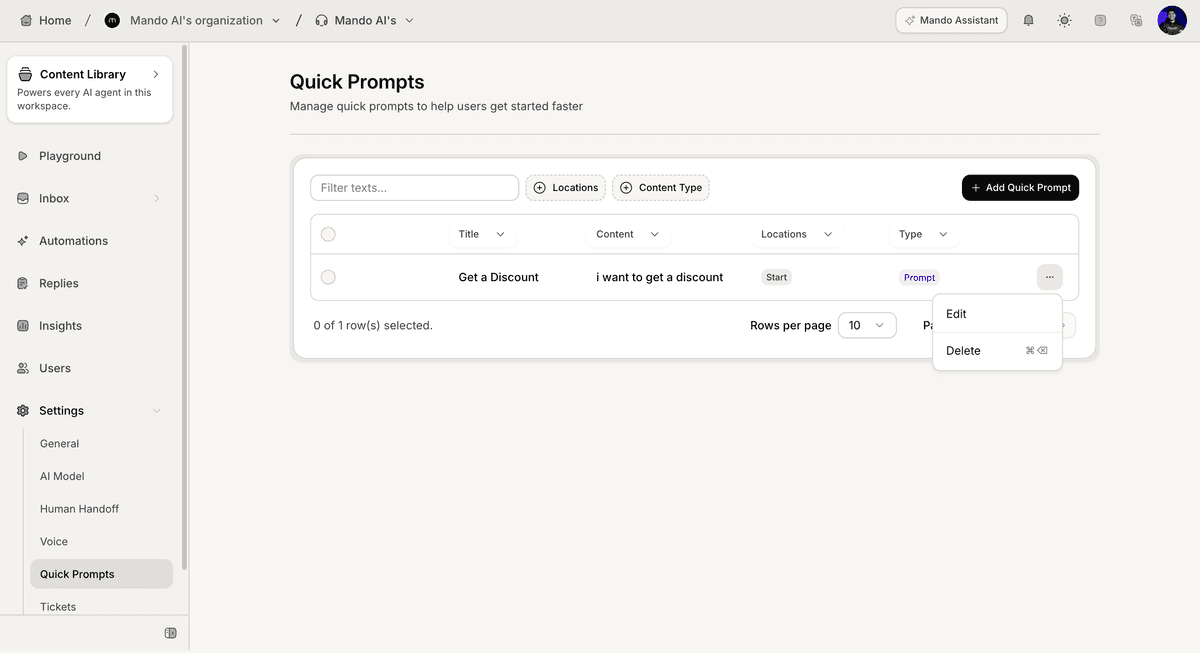
Open Quick Prompt settings
To configure Quick Prompt locations:
Open your AI Agent
Go to Settings
Open Quick Prompts
Create a new prompt or edit an existing one
The Display Locations section appears inside the Quick Prompt settings.
Configure display locations
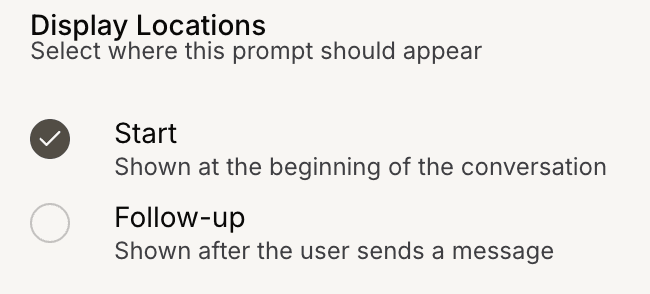
Choose where the prompt should appear.
Available locations:
Start → shown at the beginning of the conversation
Follow-up → shown after the user sends a message
You can select one or both locations.
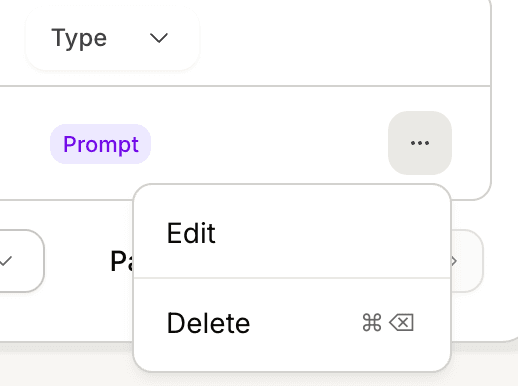
Update an existing Quick Prompt
To modify locations for an existing prompt:
Open the More options (⋯) menu
Click Edit
Update the selected locations
Click Save changes
The updated locations will apply to future conversations.
PRO TIP:
Use Start for common first actions and Follow-up for next-step suggestions after users engage.