
Every WhatsApp template has a category that you choose when you create it. The category tells WhatsApp what kind of message it is and shapes how you can use it.
Utility or Marketing
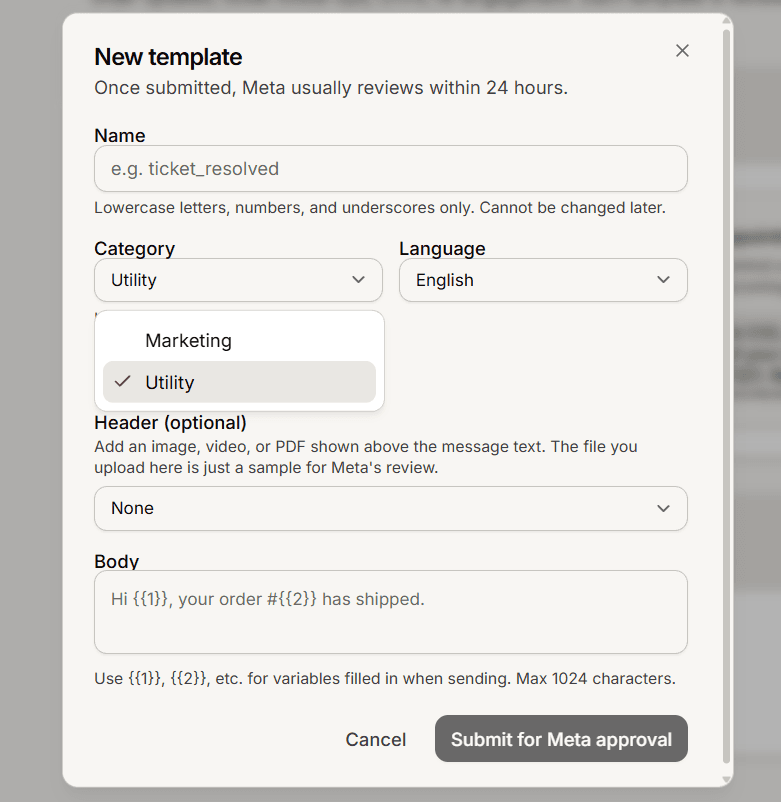
The category picker offers two choices:
Utility: transactional messages tied to something the customer did, such as an order update, a ticket follow-up, or an appointment reminder.
Marketing: promotions and offers. Marketing has stricter rules and needs the customer to have opted in.
Meta can change your choice
The category you pick is a request. Meta reviews the wording, and promotional-sounding text in a Utility template can be recategorized to Marketing after you submit it. Keep utility templates plain and transactional, and use Marketing when the message is genuinely promotional.
How category affects sending
Category matters when you send. A Marketing broadcast turns on Safe send by default, so it only reaches contacts who already have a WhatsApp conversation with you. Meta also charges by category, billed to your own WhatsApp account.
Frequently asked questions
Which category should I pick?
Utility for transactional messages, Marketing for promotions and offers.
Where is the Authentication category?
Authentication templates, such as one-time codes, are created in Meta's own manager, not on this page.
Can I change the category later?
No. There is no edit; delete the template and create a new one with the category you want.