
Hand Off to a Human is the built-in action that lets your AI pass a conversation to your team. Until it is on, the AI keeps handling every chat itself.
Turn it on
On the Automations page, flip the switch on the Hand Off to a Human card, or open the card for its full settings. This feature is available on the Light plan or higher; on lower plans the toggle is locked with an upgrade note.
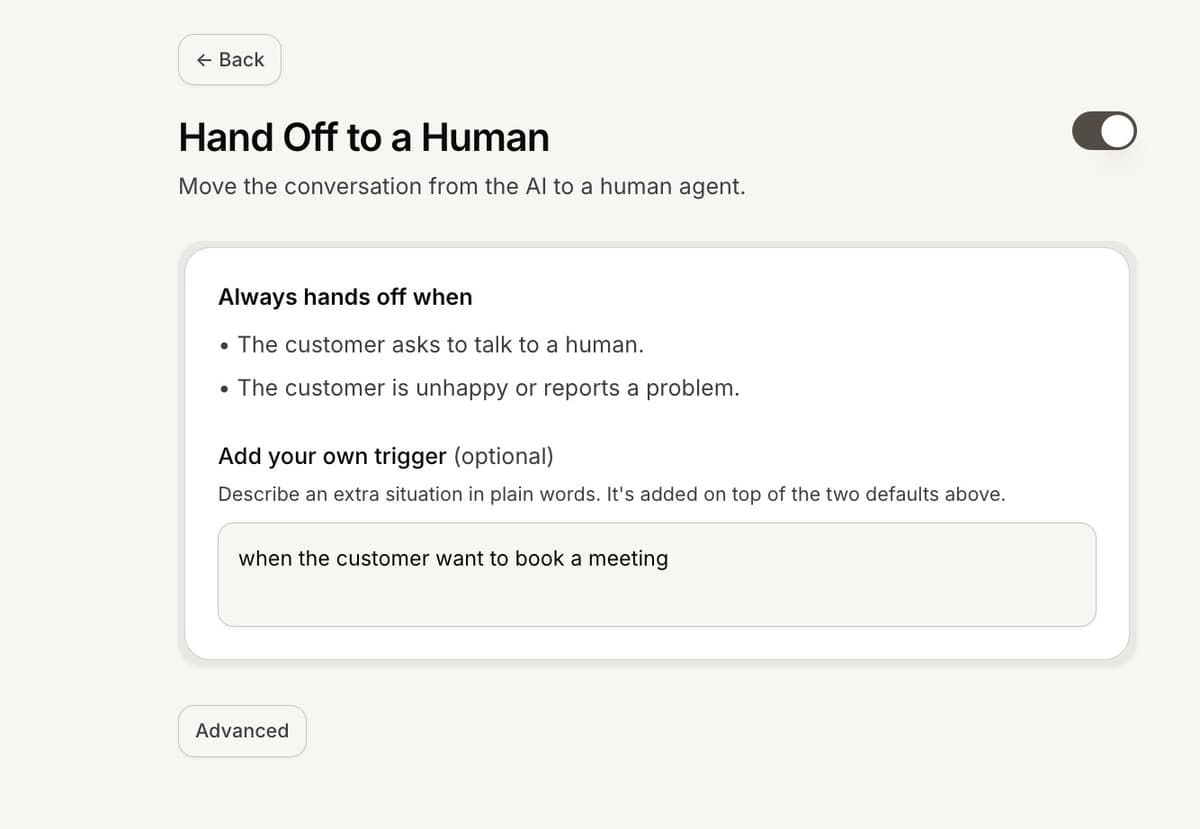
When the AI hands off
Once on, the AI always hands off when the customer asks to talk to a human or is unhappy or reports a problem. You can add your own trigger in plain words, such as when the customer asks about refunds, and it applies on top of the two defaults.
What the customer sees, and where it lands
When a handoff fires, the customer is told their message was sent to your team, with a wait note based on your working hours. The conversation then moves into your Inbox as a human conversation, with a generated summary and a handoff note for your agents. If team routing is on, it is sent to the right team; otherwise your admins are notified.
Frequently asked questions
The toggle is locked.
Human handoff needs the Light plan or higher. Upgrade to switch it on.
Can I choose the exact message the customer sees?
The customer sees a standard "sent to our team" note plus a working-hours wait line; the wording is set by Mando.
Where does the conversation go?
To your Inbox as a human conversation, optionally routed to a team.