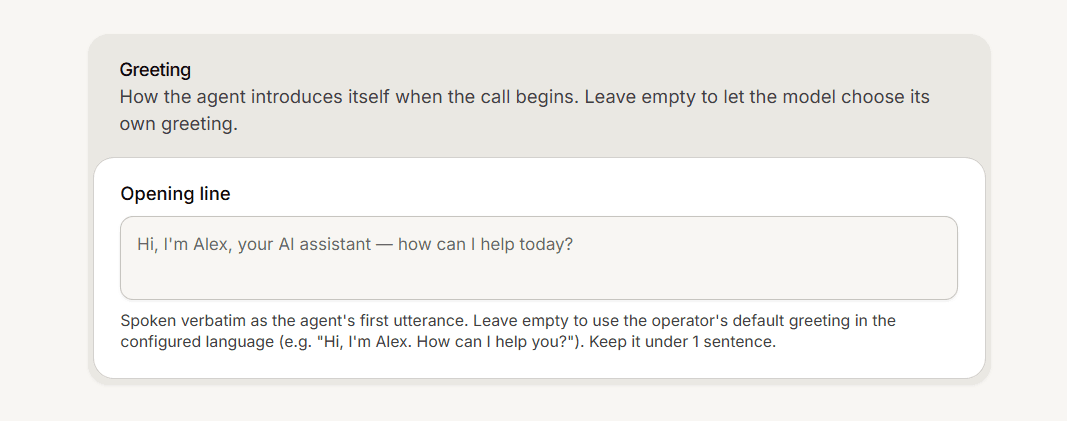
When a call connects, your agent speaks first. The Greeting card on the Voice settings page, in a field called Opening line, controls exactly what it says.
Write it
Open the Voice settings page and find the Greeting card.
Type your opening line in the Opening line field. Keep it to one sentence; around 240 characters is a good ceiling.
Save the page. There is no Save button, so use the Save prompt that appears when you edit.
The agent is instructed to open with this exact line before the caller says anything. Include an "I am an AI assistant" style phrase: the opening line doubles as your AI disclosure, so a line without it removes that disclosure.
If you leave it blank
A blank field does not let the agent invent a greeting, despite what the card hint suggests. Instead the agent speaks a fixed line using your operator name, along the lines of "Hi, I am Noor. How can I help you?" A field of only spaces counts as blank and does the same.
Good to know
The opening line is set per app. Every number and the web widget on that app use the same line.
It takes no variables. Merge tags like a customer name are not filled in.
The operator preview button plays a sample voice, not your opening line. To hear your line, place a real call.
An edit made during a live call applies to the next call, not the one in progress.