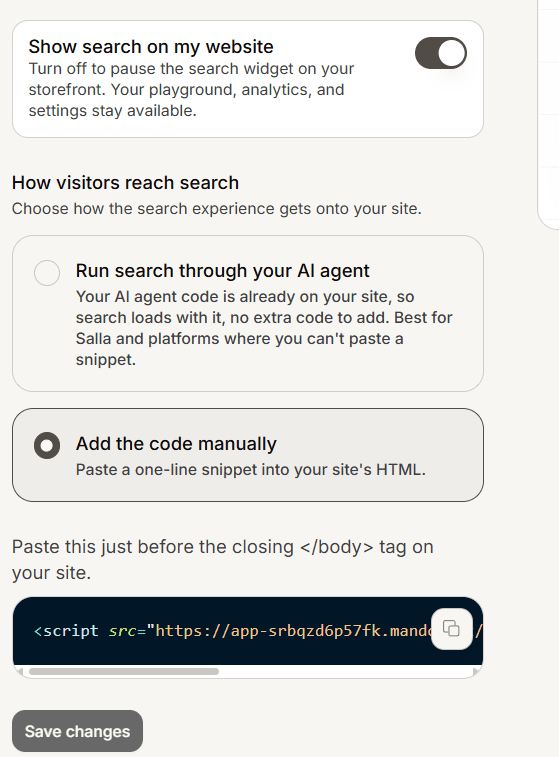
There are two ways to put AI Search on your site: paste a code snippet, or run it through the AI agent you already have on the site. The dashboard shows both on the Deploy step.
Paste the code
On your AI Search app, open Deploy and choose Add the code manually.
Copy the one-line snippet. The dashboard fills in your address for you; only your app id changes.
Paste it just before the closing tag on your site.
You can copy the same snippet later from Settings > Installation.
Or run it through your AI agent
If Mando's chat widget is already on your site, choose Run search through your AI agent and there is no snippet to paste. This is the easiest route on platforms where you cannot add code, such as Salla.
How it appears and what to switch on
AI Search takes over your site's existing search box automatically. If it cannot find one, a floating search button appears instead. To point it at a specific element, add data-mando-search-trigger to that element.
Show search on my website must be on for the live widget to appear.
Instant search is free. Ask AI answers on your live site need the paid add-on; see Buy an add-on for your Mando workspace.
The "Connected" status reflects search activity in the last 30 days, not whether the code is installed, so a brand-new install can still read "not connected" until visitors use it.