
Every Simple AI Action has a type, chosen in the General section of the editor under Action type. The type decides what the action does with the details it collects.
The three types
Submit (POST) collects data across a few turns, then sends it to your system. Best for lead capture, bookings and support intake.
Lookup (GET) fetches data from your system whenever the customer asks something matching your description, and uses the reply to answer.
Internal searches your own product catalog and answers from it. No external system is called.
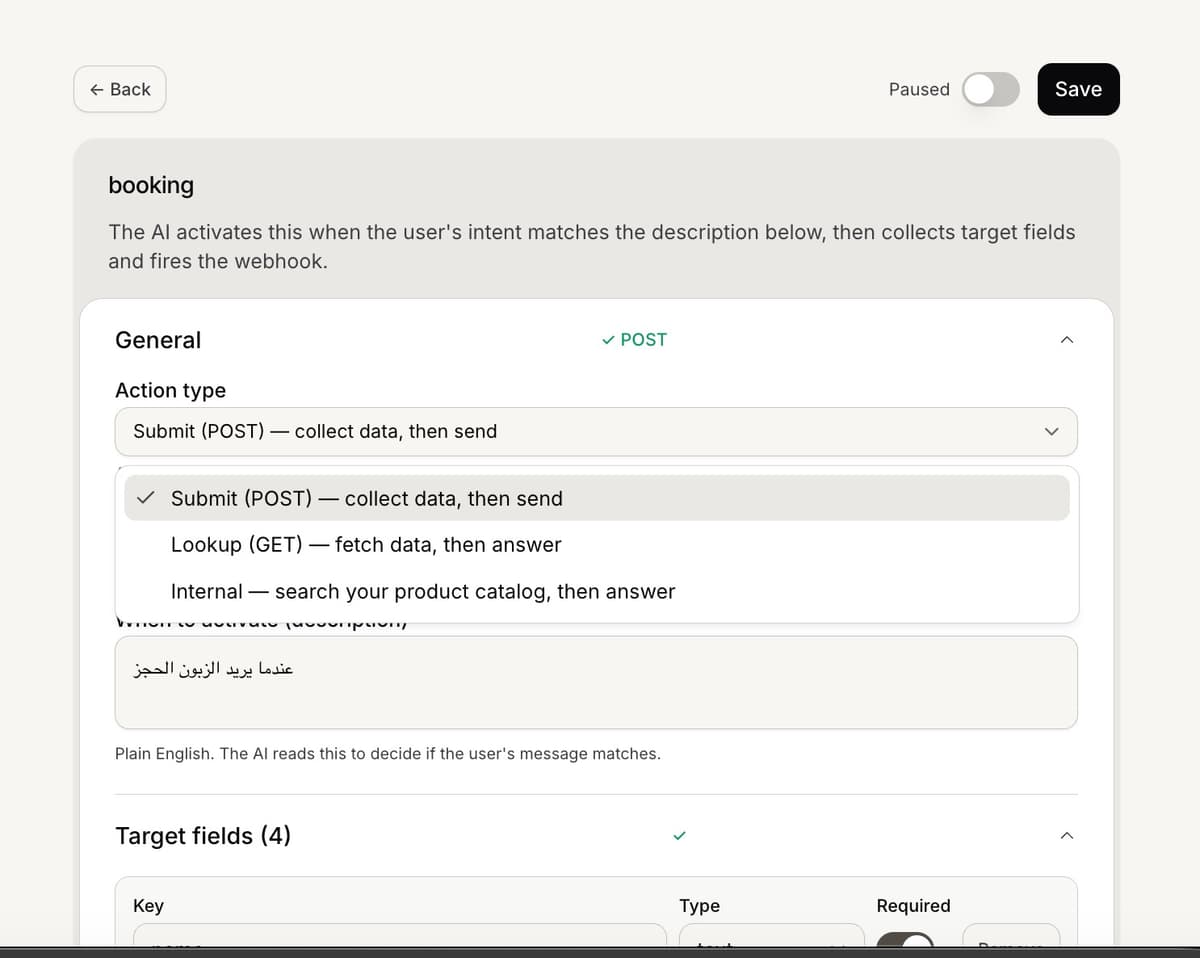
How the type changes the editor
The type reshapes the rest of the editor. Submit shows the Webhook, Confirmation step and Post-submission message sections. Lookup shows the Webhook section only. Internal hides the webhook entirely and adds a Maps to filter on each field so it can search your catalog.
Picking Internal seeds catalog filters
The first time you switch to Internal, the editor fills in a starter set of catalog filter fields, such as keywords, category, brand, colour, size, max price and in stock. Adjust them to match how you want customers to search your products.
Frequently asked questions
Which type sends data to my system?
Submit sends collected data to your webhook. Lookup fetches from your system to answer. Internal never leaves Mando.
Can I change the type later?
Yes, in the editor. Switching to Internal replaces your fields with catalog filters, so set the type before defining fields.