
Every segment starts as a filtered view of your contacts. You narrow the table until it shows the group you want, then save that view.
Start on the Contacts page
This is the part worth knowing before you begin. Segments are created from Contacts, not from the Segments page.
The Segments page has a create button, but selecting it simply takes you to the Contacts page without explaining why. If that has happened to you, nothing went wrong: you were sent to the place where segments are actually made.
Steps
Open CRM, then Contacts.
Use the search box and the filters until the table shows the group you want.
Select New segment at the end of the filter row.
Give the segment a name.
Check the line telling you how many contacts it includes right now.
Select Create.
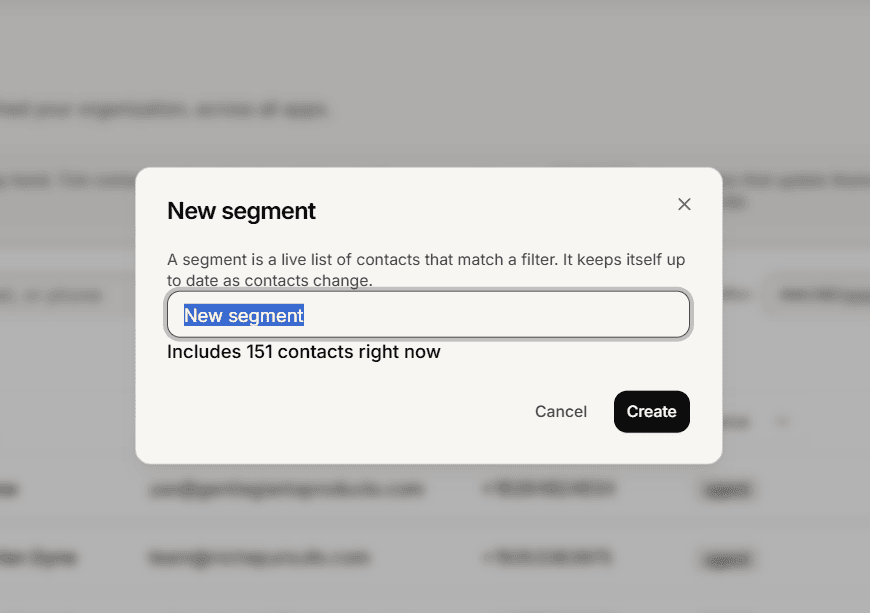
Read the count before you save
The dialog tells you how many contacts the segment includes at that moment. That number is your check that the filters did what you meant.
If you have set no filters at all, an amber warning appears saying the segment would include everyone. It does not block you, so treat it as a stop sign rather than a note. Close the dialog, set your filters, and come back.
The search box counts as a filter
Anything in the search box is saved into the segment along with your filters, and clearing your filters does not clear the search box.
So if you searched for something earlier and forgot about it, that text becomes part of the rule. Glance at the search box before saving.
Afterwards
Your segment appears under CRM, then Segments, with a live count. Opening it shows its rules and its current members.
You can rename or delete a segment, but you cannot change its rules. To adjust the rule, filter again on the Contacts page and save a new segment under a different name.
Frequently asked questions
The name is refused.
Segment names must be unique, so pick another.
I cannot save any more segments.
There is a limit of 200. Delete one you no longer use.
Can I combine a list and a filter?
Yes. Filter by a list plus anything else, and save that as a segment.