
A list is a group of contacts you choose yourself. You decide exactly who is in it, and nobody joins or leaves unless you or a colleague puts them there.
Find your lists under CRM, then Lists.
What lists are good for
Grouping everyone you imported from one file
Building an audience for a specific campaign
Marking a set of people you want to treat differently, such as wholesale buyers
Because membership is fixed until you change it, a list is the right tool whenever the exact people matter more than the rule that describes them.
Where lists show up
Lists appear in several places once you have them:
As a column on your contacts table, so you can see at a glance which lists someone is in
As a filter above the contacts table, for narrowing to one list
On each contact page, where you can add or remove them
As an audience when you send a WhatsApp broadcast
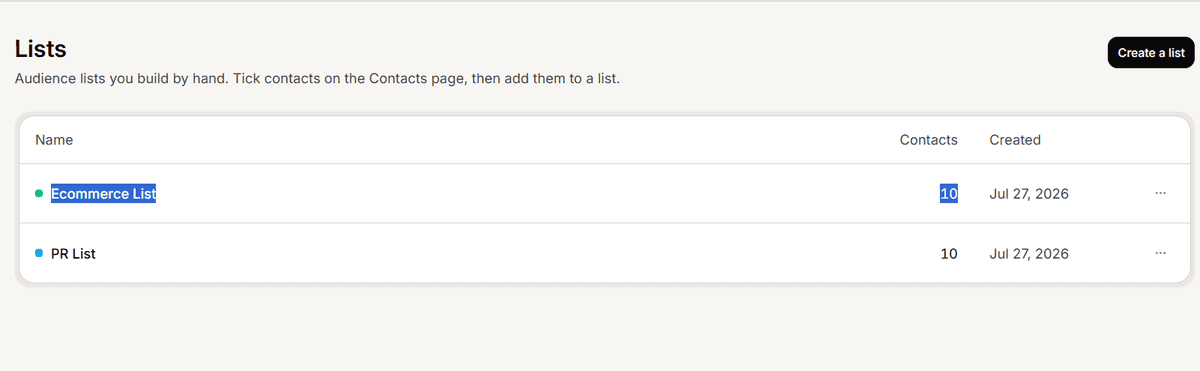
A contact can be in many lists
Lists are not folders and they do not compete. The same person can sit in as many as you like, so you can keep a list per campaign and a list per customer type without them interfering.
Deleting a list does not delete contacts
When you delete a list, the list is removed from every contact who was in it. The contacts themselves stay exactly where they are, with their conversations and details untouched.
The confirmation says so, and it is worth trusting: deleting a list you no longer use is a safe tidy up, not a destructive one. What you cannot do is undo it, so a list you rebuild has to be rebuilt by hand.
Frequently asked questions
Do lists update themselves?
No. That is what segments are for.
Who can manage lists?
Admins and Super Admins.
Are list names case sensitive?
Names must be unique, but different capitalisation counts as a different name, so avoid creating both VIP and vip.