
The home greeting is the short welcome at the top of your widget home screen. It is the first thing a visitor reads, and it is separate from the message that opens a conversation.
Steps
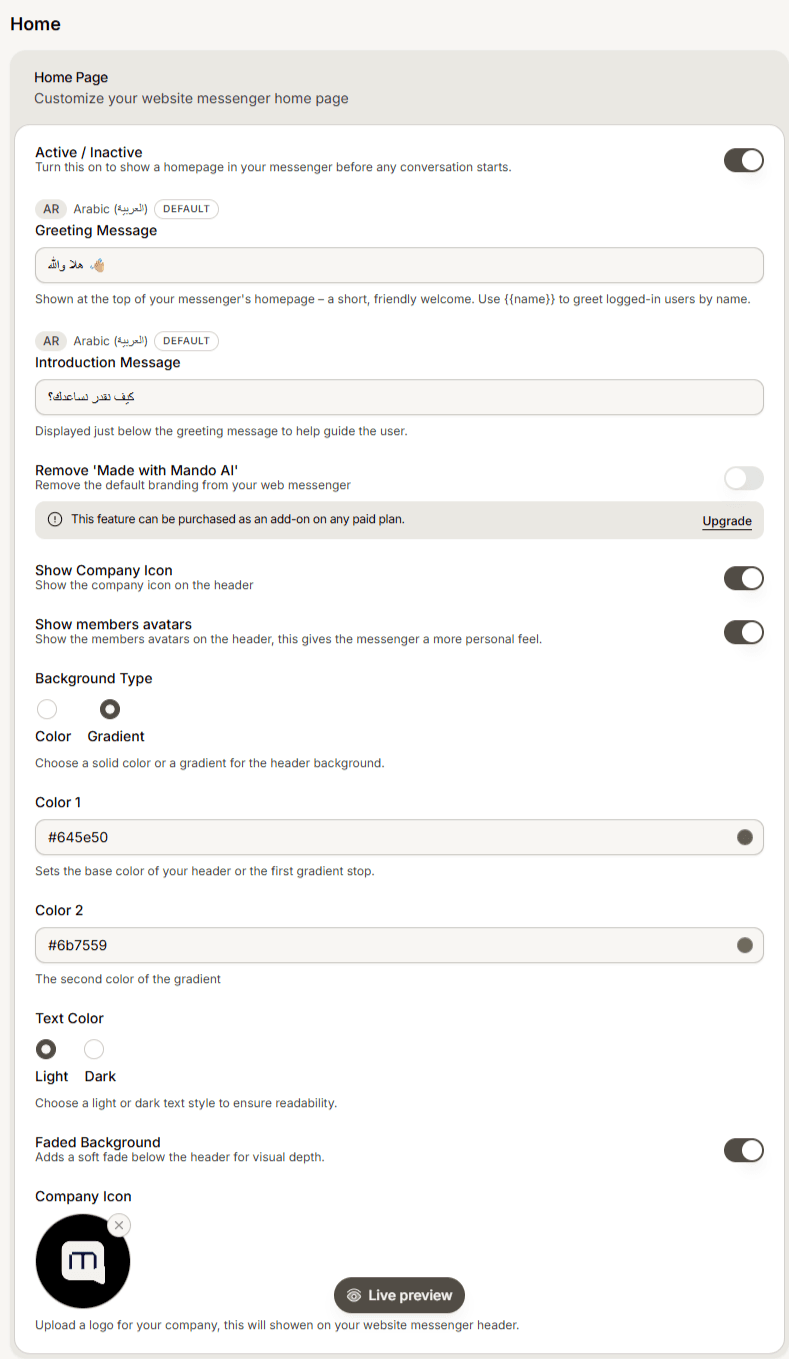
Open your agent and find the Home Page section of the widget content settings.
Write your Greeting Message. Keep it short and friendly.
Optionally write an Introduction Message, shown just below it to guide the visitor.
Save and check the preview.
Greet signed-in visitors by name
You can include a variable in the greeting to address logged-in users personally, written in curly braces such as {varName}. Visitors you have identified see their own name; everyone else sees the rest of the greeting normally.
Write it so the sentence still reads well without the name, since not every visitor is signed in.
Frequently asked questions
Is this the same as the conversation greeting?
No. This one is on the home screen. The conversation greeting is the first message inside a new conversation, set separately.
Nobody sees my greeting
Check the home screen is switched on. With it off, visitors go straight into a conversation and never see the home screen.