
Most of your contacts arrive on their own from conversations. Adding one by hand is useful when someone reached you outside Mando, for example by phone or in person.
Before you start
Creating a contact by hand needs the Audience Import add-on. If your workspace does not have it, selecting the button opens a message explaining that instead. You also need to be an Admin or Super Admin.
Steps
Open CRM, then Contacts.
Select Create a contact.
Fill in Name, Email, Phone and Company.
Set Default country. This is used to read phone numbers written without a country code, so a local number like 0501234567 is stored correctly.
Select Create contact.
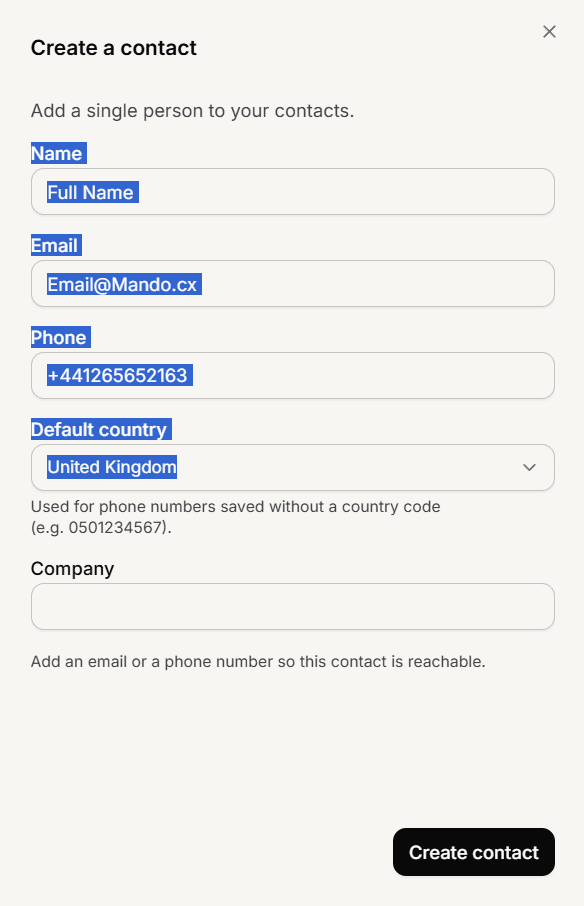
You need an email or a phone number
The create button stays unavailable until you fill in one of them. A name and a company alone are not enough.
This is not a formality. A contact with no email and no phone cannot be reached, and would not appear in your contacts list at all, so Mando stops you creating one.
If the person already exists
Mando matches on email first, then phone. If the details you enter match an existing contact, it updates that record instead of creating a second one, so you do not need to check first.
Frequently asked questions
Can I add several people at once?
Use the CSV import instead.
Do I have to fill in the company?
No, only an email or a phone number is required.
Why is the button showing me an add-on message?
Your workspace does not have the Audience Import add-on. You can add it from Billing.