
Custom fields let you keep information Mando does not track as standard on each person your customer service agent talks to. A plan tier, an account number, a preferred branch: anything your business needs on record.
Where they live
Custom fields belong to the Users records inside a customer service agent, not to the contacts in your CRM. Open your customer service app and select Users to find them.
They are also set per agent rather than per workspace, so two customer service agents can have completely different sets of fields. That is useful when two agents serve different parts of your business, and worth knowing if you expected a field you created to appear everywhere.
What you get on each plan
PlanCustom fields | |
Free | None |
Light | None |
Growth | 3 |
Business | 5 |
Enterprise | 20 |
Custom fields start on the Growth plan. On Free and Light the option shows a message pointing you to an upgrade instead of the form.
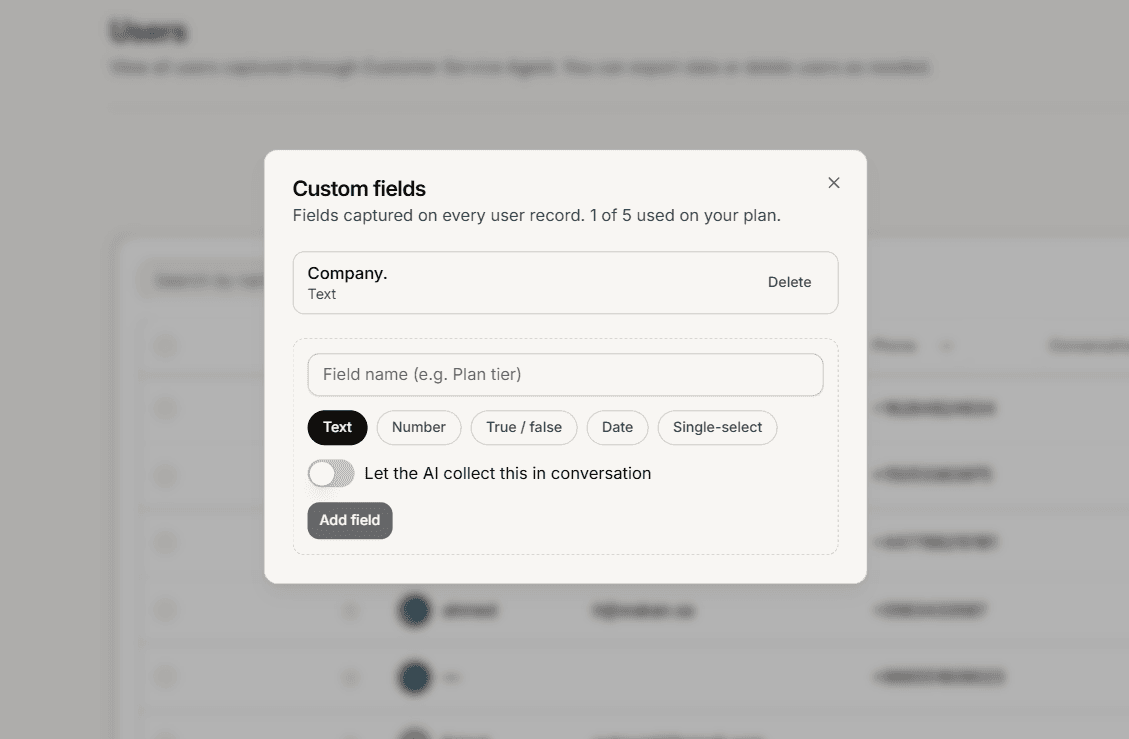
Three ways a value gets filled in
You type it. Open a user record and edit the field directly.
Your team types it. The same fields appear in the conversation sidebar in your inbox, so an agent can record something while talking to the customer.
The AI asks for it. Each field can be marked as one the AI may collect during a conversation. The AI only asks for what it does not already have, so a customer is never asked twice for the same detail.
What custom fields cannot do yet
Being clear about the edges saves you time:
They are not available on CRM contacts, only on customer service user records.
You cannot filter or search your users by a custom field value.
They are not part of the CSV contact import.
They cannot be changed after you create them, only deleted and recreated.
Frequently asked questions
Do I need one per agent?
Yes, if you want the same field on more than one agent, create it on each.
Who can create them?
Admins and Super Admins.
Can customers see them?
No. They are for your team, though the AI may ask a customer for a value if you allow it.