
You can correct or complete a contact record at any time from that contact page.
Steps
Open CRM, then Contacts.
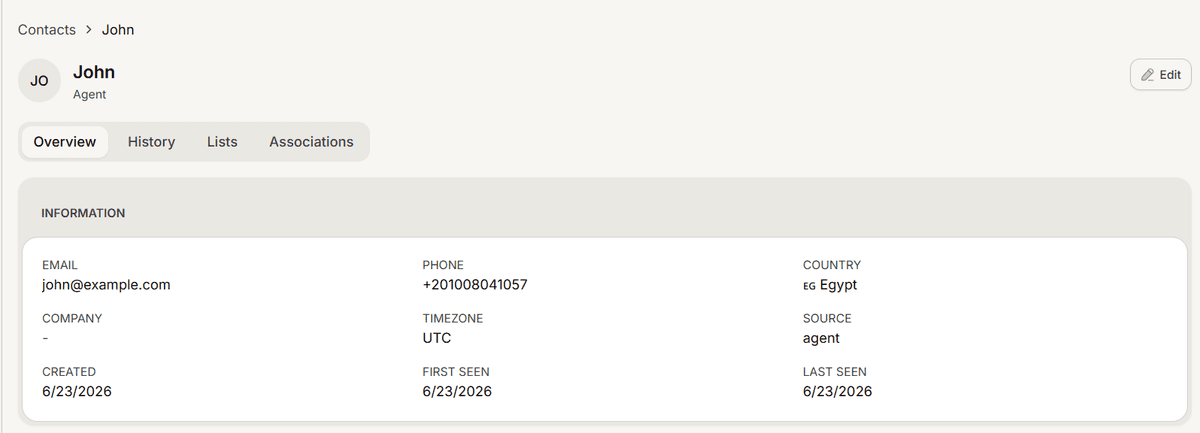
Select the row for the person you want. This opens their contact page.
Select Edit at the top right.
Change Name, Email, Phone or Company.
Select Save. You will see a confirmation that the contact was updated.
Nothing is stored until you save, and Cancel discards your changes.
Your edits win
Contacts are also updated automatically as people talk to your agents. When you edit a field by hand, Mando remembers that you set it deliberately and stops later automatic updates from overwriting it.
That is why correcting a misspelled name is worth doing: the correction sticks rather than being undone by the next conversation. It also means a field you edited will not pick up a genuinely newer value on its own, so if someone changes their phone number, update it here yourself.
What you cannot edit here
Country, timezone, source and the seen dates are worked out by Mando and shown for information only. Country in particular comes from the phone number, so correcting the phone number corrects the country.
Frequently asked questions
Does it save as I type?
No. Select Save.
Can I delete a single contact from this page?
No. Deletion is done by selecting contacts in the list and using the bulk delete.
Can I clear a field?
Emptying a field and saving removes that value, but remember a contact needs an email or a phone to stay reachable.