
Your agent's language is the primary language of your customer service widget. It is a different setting from the language you view the dashboard in, and only this one affects customers.
Steps
Open your agent and go to Settings, then General.
Change the Language.
Save.
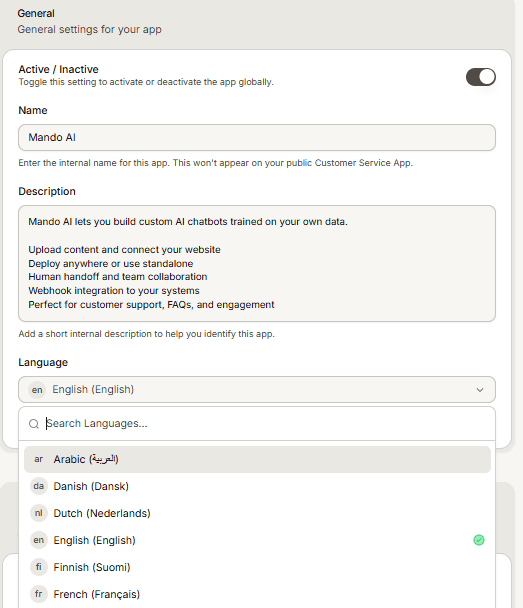
It also changes the layout direction
Changing the language updates the widget layout direction as well, switching between left to right and right to left. So moving an agent to Arabic does not only change the words, it re-orients the whole chat interface. Check the preview afterwards.
Frequently asked questions
Can my agent still reply in other languages?
This is the default, not a restriction. To offer a language properly, add it rather than relying on the default alone.
I changed my dashboard language and nothing changed for customers
Correct, those are two separate settings. The dashboard language only changes what you see.
Why did my agent switch to Arabic by itself?
Connecting a Salla store sets the connected agent's language to Arabic, because Salla merchants usually serve Arabic speaking customers. Change it back here if that is not what you want.