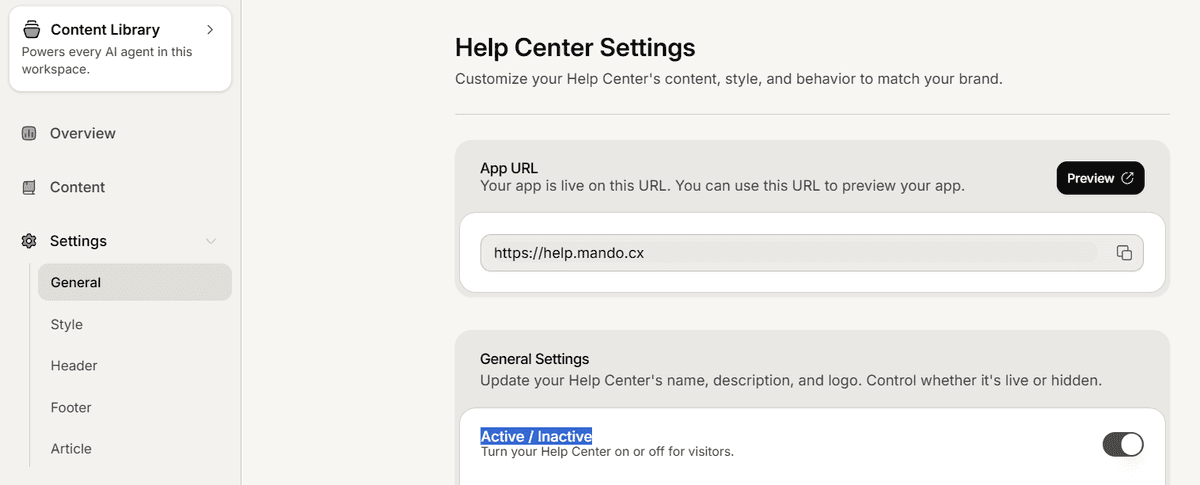
A single switch decides whether your public help center answers visitors at all. It is the cleanest way to keep a site private while you are still writing it.
Flip the switch
Open Settings and stay on the General tab.
In the General Settings card, use the Active / Inactive switch. Its note reads: turn your Help Center on or off for visitors.
Save the page. The switch is stored with the rest of the General tab, so nothing changes until you save.
What happens while it is off
Visitors who open your help center address are sent to the Mando website instead of your site. They do not get an error page.
Search engines are told not to crawl the site and its sitemap is served empty, so pages drop out of results over time.
Your content is untouched. Collections, published articles and drafts all stay exactly as they were.
Turning it back on restores the site as it was. Because public pages are cached for speed, allow a few minutes for the change to reach every visitor.
When to use it
Before launch, while the first articles are still being written.
During a rewrite you would rather nobody read halfway through.
If you need to pull the site down quickly for any reason.
To hide a single article rather than the whole site, leave the switch on and keep that article unpublished. Publishing is per article, so one draft does not affect the rest.