
You can hide the chat bubble from your website without removing the script and without affecting anything else your agent does.
Steps
Open your customer service agent and go to the Playground.
Select Test and Deploy.
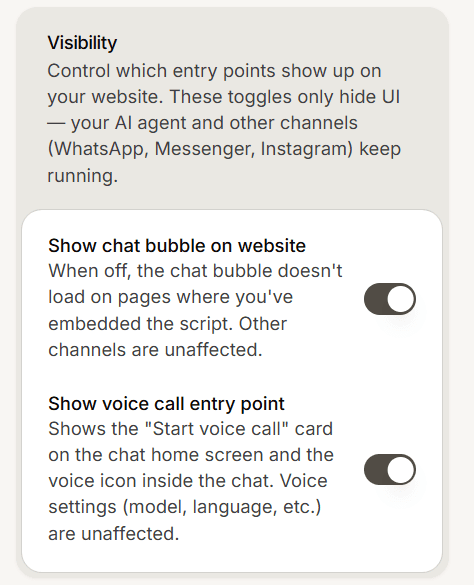
In the Visibility card, turn off Show chat bubble on website.
What this does and does not do
It hides the bubble on your website. That is all.
Your AI agent keeps running, and your other channels are untouched: WhatsApp, Instagram, Messenger and TikTok carry on exactly as before. Conversations already in your inbox are unaffected.
This is the setting to use when you want to pause website chat for a while, for example during a busy period or while you improve your agent, without unpicking your installation.
Give it a minute
Your change is not always visible the instant you make it, because visitor browsers hold on to the widget script for a short while.
Wait a minute and reload your site with a hard refresh before deciding it did not work.
Other ways to limit where it shows
If your aim is to show the widget on some sites but not others rather than switching it off everywhere, use domain restrictions in your agent settings instead. That lets you name the domains allowed to load it.
And if you want to stop the agent entirely rather than just hide it on the web, turn the agent itself off.
Frequently asked questions
Do I need to remove the script?
No. Leave it in place and turn the toggle back on when you want the bubble again.
Will my WhatsApp stop working?
No. This only affects your website.
Why is the bubble still showing?
Give it a minute and hard refresh. Browsers hold the script briefly.