
The script is on your site but no chat bubble appears. Work through these in order, because the first two account for most cases and both hide the widget silently.
1. Is the website bubble switched on?
Open your agent, go to the Playground, then Test and Deploy, and check Show chat bubble on website in the Visibility card.
When this is off, your site receives an empty script. Nothing errors and nothing appears in your browser console, so there is no clue anywhere on the page.
2. Are domain restrictions blocking it?
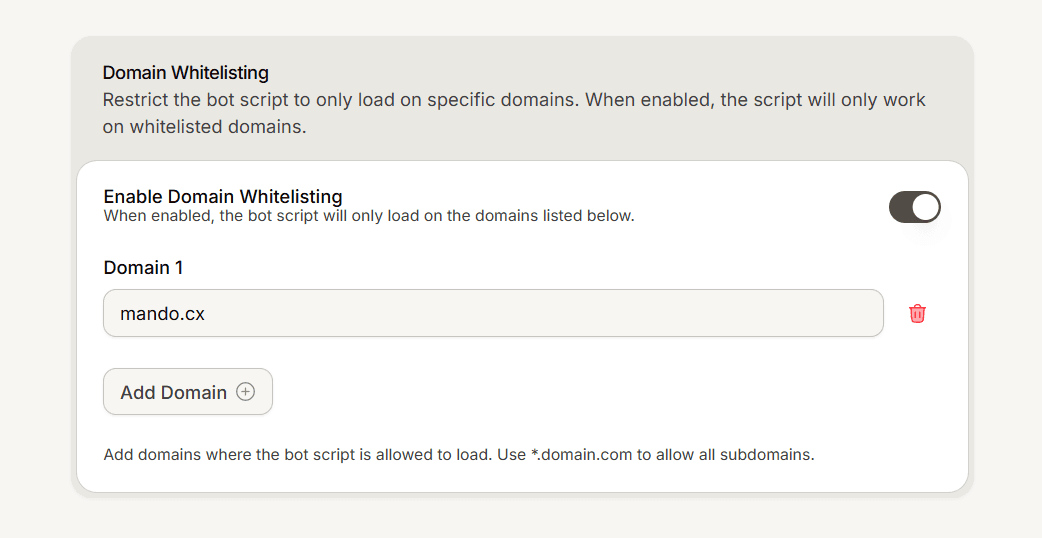
Check Domain Whitelisting in your agent settings. If it is on, only the domains you listed can load the widget.
Two things catch people here. Turning it on with an empty list blocks every site, including your own. And a wildcard entry covers subdomains only, so *.example.com allows www.example.com but not example.com. If you want both, list both.
3. Is your agent turned on?
A disabled agent serves no widget. Check that the agent itself is enabled in its settings.
4. Is the script actually on the page?
View the page source in your browser and search for the script. If it is not there, check that you pasted it into a shared template rather than one page, and that your site or hosting cache has been cleared since.
If your site is behind a caching layer, that is the usual reason a correctly pasted script is missing from what visitors receive.
5. Is something in the browser blocking it?
Ad blockers and strict privacy settings can stop third party scripts. Test in a clean browser profile with extensions disabled before concluding the installation is wrong.
Expect silence, not errors
When the widget is not served, it fails quietly by design so that a problem on our side can never break your website. That means your browser console will usually show nothing at all.
An empty console is not evidence that the script is fine. Work through the checks above instead of looking for an error that will not appear.
Frequently asked questions
It works on one page but not another.
The script is probably on that page only rather than in your shared template.
It stopped working after I enabled domain restrictions.
Add your site domain to the list, and remember to add the apex and the www form if you use both.
Nothing shows in the console. Is that a bug?
No, it is intended.