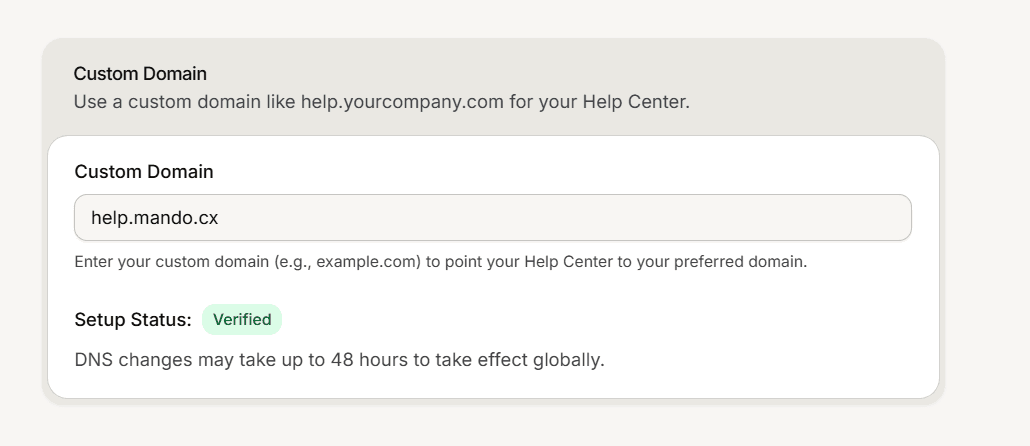
By default your help center serves on a Mando address. Connect a custom domain and it serves on one of yours instead, such as help.yourcompany.com.
Add the domain in Mando
Open Settings and stay on the General tab, then find the Custom Domain card.
Enter the domain on its own, with no https:// in front and no path after it. For example help.example.com.
Save. Mando checks the format and that no other workspace is already using that domain.
A custom domain is an add-on on Light, Growth and Business ($25 a month), and is included in Scale. If you are not sure whether your workspace has it, check your add-ons before you change any DNS. See What each Mando add-on unlocks.
Add the DNS records
Once the domain is saved, a Setup Instructions section appears with the exact records to create at your DNS provider. There are two options and you only need one of them.
CNAME, for a subdomain such as help.example.com:
Type: CNAME, Host: the subdomain part only, for example help
Value: domains.mando.cx
A records, needed for a bare domain such as example.com, because most DNS providers do not allow a CNAME there. The Host shows as @:
Type: A, Host: @, Value: 75.2.96.173
Type: A, Host: @, Value: 99.83.186.151
The dashboard fills in the Host for you based on the domain you entered, so copy the table rows exactly as shown and do not add both options.
Wait for it to verify
The status badge above the records tracks progress: Pending while the records have not been confirmed yet, Verified once they are found, and Unverified when they are missing or wrong. DNS changes can take up to 48 hours to spread worldwide.
When the badge turns Verified the records table disappears, the secure certificate is issued for you, and nothing else is needed.
After it is connected
Your help center serves on the new domain, and the preview link in the dashboard points there too.
The old Mando address is deliberately removed from search listings so the two versions never compete for the same results.
To move to a different domain later, replace the value and save. To stop using one, clear the field and save.