
Connecting Instagram lets your AI agent answer direct messages sent to your Instagram account, in the same inbox as your other channels.
Before you start
Your Instagram account must be a Business account and it must be linked to a Facebook Page. A personal or creator account cannot be connected, and this prerequisite is the reason most Instagram connections fail. Set it up in the Instagram app first if you are not sure.
Steps
Open your agent, go to Settings, then Integrations and Channels.
On the Instagram card, select Connect.
Sign in and grant the permissions requested, leaving them all enabled.
Choose the Instagram Business account you want to connect.
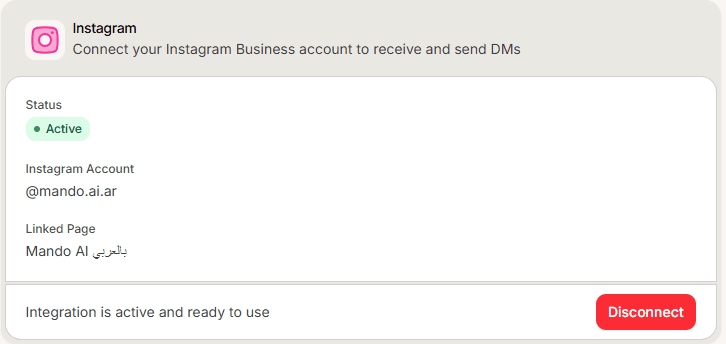
What you should see
The card switches to its connected state. Send a direct message to your Instagram account from another account and confirm it reaches your inbox.
Frequently asked questions
Can I connect a personal Instagram account?
No. It must be a Business account linked to a Facebook Page.
Do I need Messenger connected as well?
No. They are separate channels and you can connect either one on its own.
Will the agent reply to story replies and comments?
This channel covers direct messages.