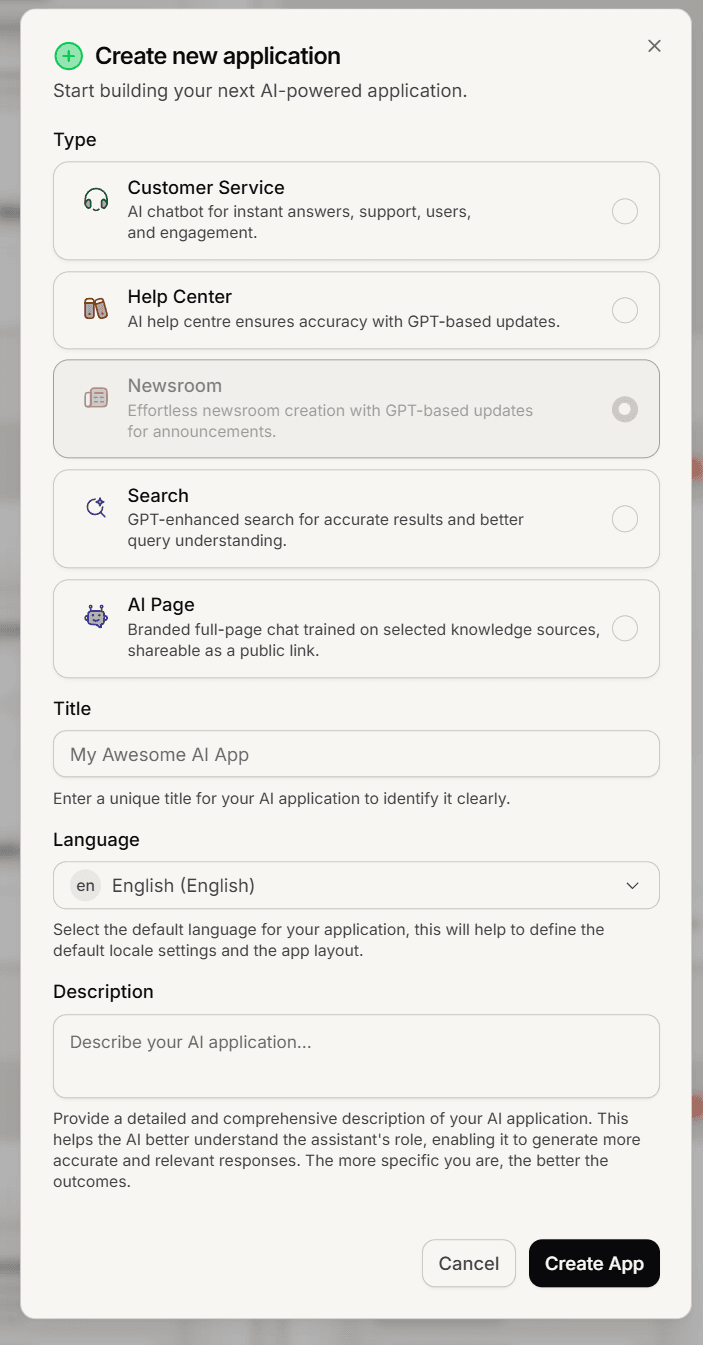
A Newsroom is created like any other Mando app: name it, pick its language, and confirm. Only an admin can create apps.
Create it
Open your workspace home and find the Public Surfaces section.
Click Create Newsroom.
Choose the Newsroom type, enter a Title, pick a Language, and add a Description if you want one.
Click Create App.
What to expect
The Title names the app, and the Language sets your newsroom's language. Articles you write inherit that language.
A public web address is generated for you at your-id.mando.news. There is no slug to choose; use a custom domain later for a friendly address.
Every plan includes newsrooms (Light 1, Growth 2, Business 3, Scale 5). If the option is greyed out, you are at your plan's limit. See Compare Mando plans and pricing.
After you create it
Mando opens the new Newsroom on its Overview, and it appears in your sidebar. From there you can write articles and open Settings. Only admins can create apps or change these settings; see Understand Super Admin and Member roles.