
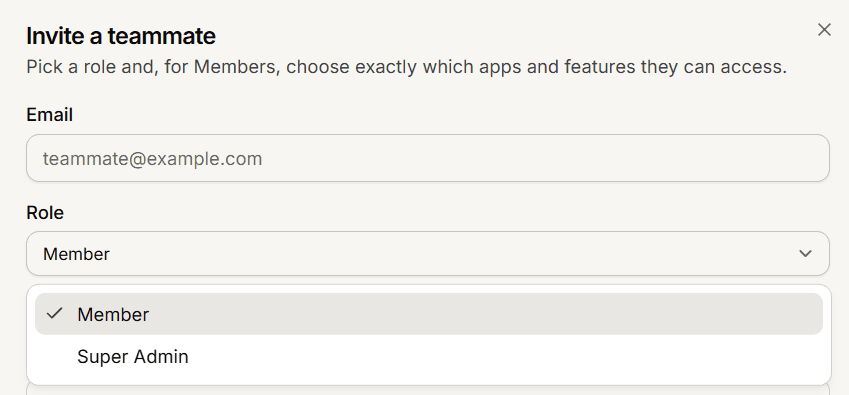
Mando has two roles. A Super Admin controls the whole organization. A Member can only reach the apps and features you grant them. Most people should be Members.
What each role can do
CapabilitySuper AdminMember | ||
Billing and subscription | Yes | No |
Invite and remove people | Yes | No |
Change someone's role | Yes | No |
Set per-app access for Members | Yes | No |
Create and delete apps | Yes | No |
Reply to inbox chats | Yes | Where granted |
Publish or edit help center and newsroom content | Yes | Where granted |
Everything else they can open | Full access | Read-only |
The rule that surprises people
A Member's access is mostly read-only. The exceptions are deliberate and narrow: they can reply to inbox chats, and they can publish or edit help center and newsroom content, in the apps where you granted it. Ticking Settings or Integrations for a Member lets them see those screens, not change them.
Choosing a role
Make someone a Super Admin only if they should be able to change what you pay, invite anyone, and remove people, including you. For everyone else, Member with the right per-app access is both safer and more precise, because you decide exactly which apps and features they see.
Changing a role later
Only a Super Admin can change roles, from the member's page on the Team screen. Promoting a Member to Super Admin gives them control over billing, invitations and removals. Demoting a Super Admin to Member takes those powers away. You cannot change your own role from that screen.
Frequently asked questions
Can a Member see conversations from every team?
Only the teams they belong to, and only if you granted them inbox access for that app.
How many Super Admins should an organization have?
At least two. If the only one loses access, nobody can manage billing or invite people.
Can a Member delete content?
No. Members can reply and publish where granted; destructive actions stay with Super Admins.