
When escalated conversations all land in General, or nobody seems to receive them, the cause is almost always a switch rather than a broken feature. Check these in order.
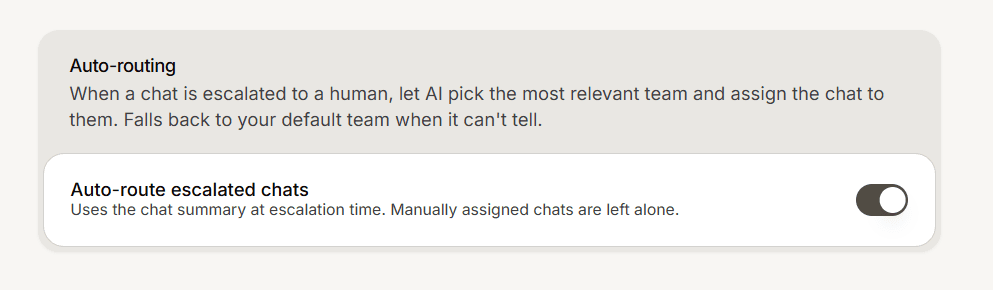
Auto-routing is off for the app
This is the one people miss. A team's own auto-routing setting only takes effect while auto-routing is enabled for the whole app. Open the agent, go to Settings then General, and confirm auto-routing is on. Until it is, every escalation goes to your default team no matter how your teams are configured.
Auto-routing is off for the team
Open the team and check its Auto-routing toggle. A team with routing off never receives conversations automatically, though you can still assign chats to it by hand. General is the exception: it always receives what does not match elsewhere and cannot be switched off.
The team has nothing to match on
The AI routes by reading each team's name and context. A team called Team 2 with no context gives it nothing to work with, so conversations fall through to General. Give the team a descriptive name and fill in the context with the kinds of conversations it should handle.
The team is scoped to a different app
If App scope lists specific Customer Service apps, the team only receives conversations from those. Clear the scope to make the team available everywhere, or add the app you are testing with.
The team has no members
Routing to an empty team is technically working and practically useless: nobody is there to reply. Add members, and remember that a member only sees conversations for teams they belong to.
Still not working?
Send a test message that clearly matches one team's context, escalate it to a human, then check which team it landed in. If it lands in General, the AI did not find a confident match, which points back at the team name and context rather than at the switches.