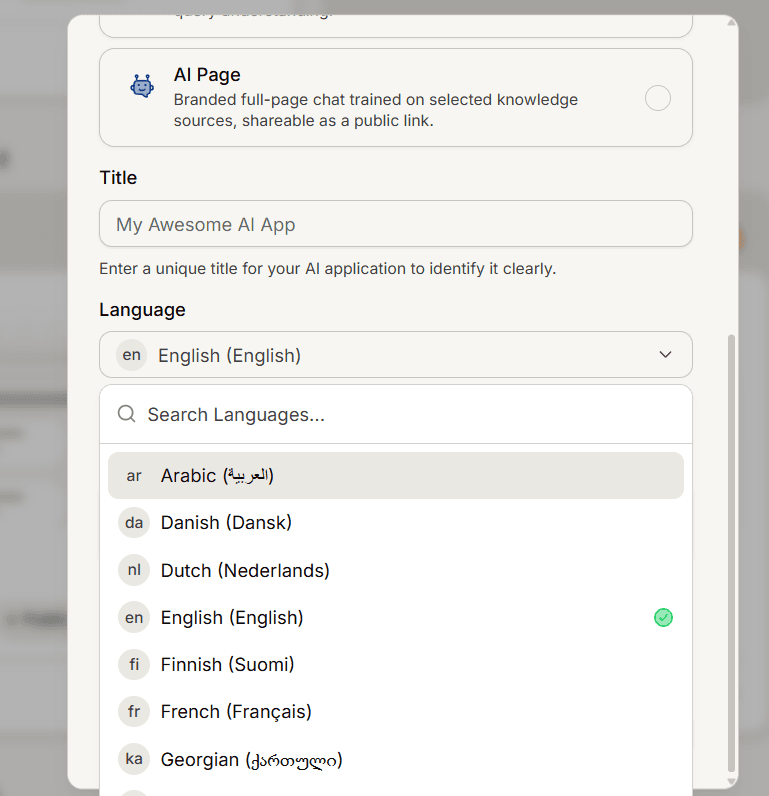
A help center serves one language by default: the one chosen in the create dialog. This explains what that setting decides, and what changes when you publish in more than one language.
The language you pick at creation
The language selected when the app is created decides three things:
Which language the public site is served in.
The reading direction of the layout, so a right to left language lays the site out from the right.
Which address is the main one. Your main language is served at the plain address, and every other language sits under its own language prefix.
It is not editable from the help center settings page afterwards. This is separate from Change your dashboard language, which only changes what you see in the dashboard.
Extra languages are declared, not translated
Adding a language tells the site that the language exists. It never creates, copies or translates a single article. Every article you want in another language has to be written and published in that language as its own article.
That means a language with no articles behind it shows an empty site. Write the articles first, then have the language turned on.
What readers see with more than one language
A language switcher appears in the site header. With a single language there is nothing to switch between, so it stays hidden.
Each language version keeps its own address, and search engines are told which address belongs to which language, so the versions do not compete against each other in results.
Switching language reloads the page, because the layout direction and fonts change with it.
Adding another language
There is no self-serve control for this in the dashboard yet. Contact us with the help center you want it on and the languages you need, and we will enable them. Because the change also affects how the site is cached, allow a little time for it to appear for every visitor.