
You have a conversation open and cannot write in it. There are five reasons, and the shape of what you are looking at usually tells you which.
If the reply box is missing entirely, it is one of the first three. If it is there but greyed out, it is one of the last two.
1. The conversation is not yours
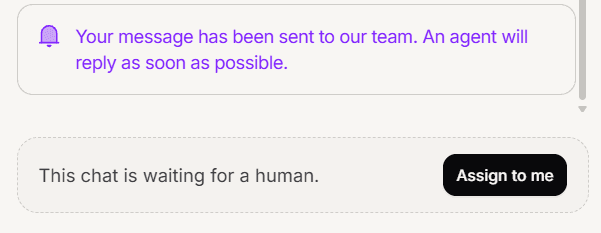
The most common one. The composer only appears on conversations assigned to you. If it is unassigned or belongs to a colleague, you get a prompt to take it on instead.
Fix: take the conversation on. If it belongs to another agent and you are a Member, you cannot take it, so ask them to hand it off or ask an admin to reassign it.
2. The AI is still handling it
A conversation the AI is answering has no composer, because the AI is the one replying.
Fix: take it over. That assigns it to you and stops the AI in one step.
3. The conversation is closed
A closed conversation has no reply box at all, not even a prompt to claim it. This one is easy to misread as a bug, because nothing appears where you expect a control.
Fix: reopen the conversation, or reply in a new one.
4. You are on the free plan
On Free the inbox is read only. Instead of a composer you see a prompt to upgrade.
Fix: move to any paid plan. Shared inbox, which is what lets your team write, is included from Light upward.
5. The WhatsApp reply window has closed
This is the one that surprises experienced agents, because everything looks normal until you try to type.
WhatsApp only allows a free-form reply within 24 hours of the customer last writing. After that the composer is disabled for this conversation, and it is WhatsApp enforcing it rather than Mando.
Fix: send an approved WhatsApp template, which is how you reach someone outside the window. If it is not urgent, wait for them to write again, which reopens it.
Useful detail: internal notes still work. You can note what happened for your colleagues even when you cannot message the customer.
Frequently asked questions
The box is there but nothing sends.
Check the WhatsApp window first, then that the conversation is still assigned to you.
Can I write a note when I cannot reply?
Yes, as long as the conversation is yours and not closed. Notes are exempt from the WhatsApp window.
Why does a colleague have a reply box and I do not?
It is assigned to them.