
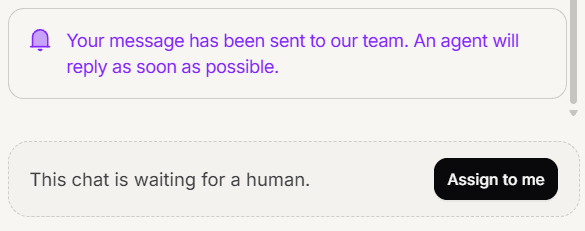
Mando only gives you a reply box on conversations assigned to you. If a conversation is unassigned or belongs to someone else, you get a prompt to take it on instead.
This is deliberate. It stops two people answering the same customer at the same time.
Claim a conversation
Open it and use the option in place of the reply box. The conversation becomes yours and the composer appears.
You can also work the other way round: open the Unassigned view, which is the pile of conversations nobody has taken, and claim from there.
What you can and cannot take
If you are a Member:
You can claim a conversation nobody has taken.
You can hand off one of your own.
You cannot take one another agent is already handling.
Super Admins can reassign anything, which is how a conversation gets moved off someone who is away.
Claiming is not the same as taking over from the AI
These often happen together but they are separate ideas.
Claiming answers who owns it. Taking over answers whether the AI is still replying.
In practice the option you press on an AI handled conversation does both: it becomes yours and the AI stops. Knowing they are separate matters when a conversation is already in human mode but assigned to a colleague, because then you only need the assignment to change.
Several at once
Tick conversations in the list to assign them in bulk, which is the quick way to pull a batch of unassigned work onto yourself or onto a colleague.
Handing one back
Unassign a conversation to return it to the unassigned pile, so a colleague can pick it up. Do this rather than leaving it assigned to you when you go off shift, otherwise it sits in your queue where nobody else is looking.
Frequently asked questions
Why can I not take my colleague conversation?
Members cannot take a conversation assigned to someone else. Ask them to hand it off, or ask an admin.
Does claiming notify the customer?
Claiming itself does not. Taking a conversation off the AI does place a short note in the conversation.
Where do my conversations live?
In the My inbox view.