
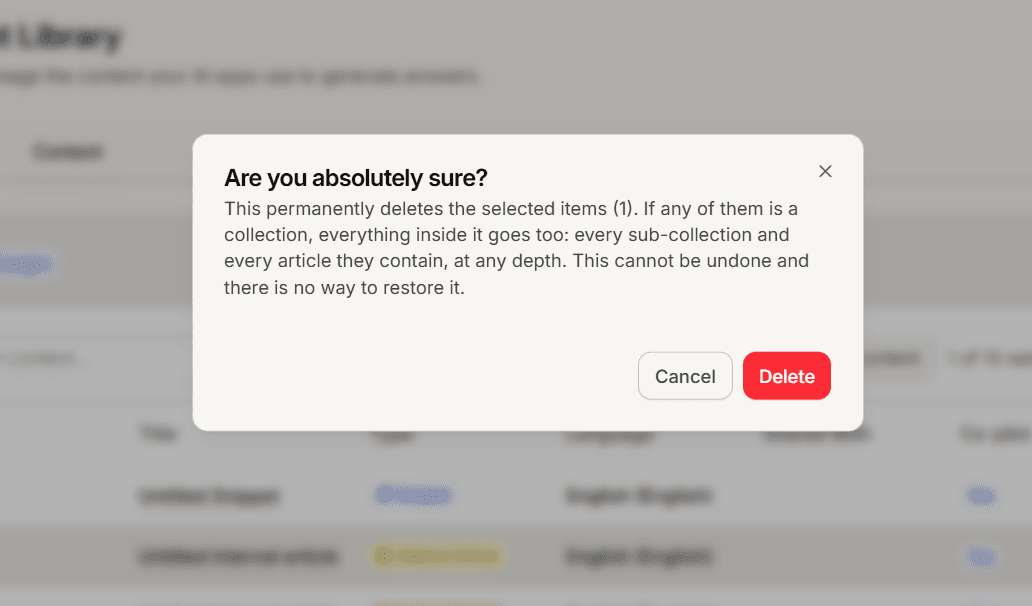
Deleting content in Mando is permanent. There is no trash, no undo and no restore, and support cannot recover it either. The confirmation dialog means exactly what it says.
How to delete
One item: open it and use the delete action in the header, then confirm.
Several items: tick the rows in your content list and select Delete in the toolbar, then confirm.
Bulk delete works on the rows of the page you are looking at. If you use select all matching, the delete button is hidden, so clear that selection first.
Deleting a collection deletes everything inside it
This is the most important thing on this page, and the confirmation dialog does not tell you.
Deleting a collection also deletes every item inside it, and everything inside any nested collections, all the way down. Delete a folder of 200 articles and all 200 are gone. The dialog will only mention the item you selected.
Before deleting a collection, open it and look at what is in it.
Synced content comes back
Deleting a store product or a crawled page from your library is not how you remove it. The next sync or crawl finds it missing and adds it again.
To remove them for good:
Store products: unpublish or remove the product in your store.
Crawled pages: delete the crawl job rather than individual pages.
WordPress content: untick Sync with Mando CX on that item in WordPress.
Disconnecting a store deletes its content too
Disconnecting a store removes the products it synced, not just the connection. Neither the menu item nor the success message says so, so it is worth knowing before you disconnect.
What deletion does for you
Deleted content is removed from your agent knowledge, so it stops appearing in answers. It also frees up your page limit immediately, which makes deleting unused content a real alternative to upgrading.
Frequently asked questions
Can support restore deleted content?
No. There is no restore path in the product.
Who can delete content?
Admins and Super Admins can delete anything. Members need write access, and content that belongs to the whole workspace, such as synced store products, is admin only.
I deleted one item from a selection and nothing happened.
If you lack permission on any item in a selection, the whole batch is refused rather than partly deleted.